Loading...
How your ratings work on Orum
When the app asks the client for a review, why some comments are hidden, and how the number on your profile is calculated.
By Equipo Orum

Your ratings are the first thing a client compares after your photo. This guide covers the whole path: when the app asks the client for a review, which comments are published, and how the number on your profile is calculated.
Tap an image to enlarge it.
When you are rated
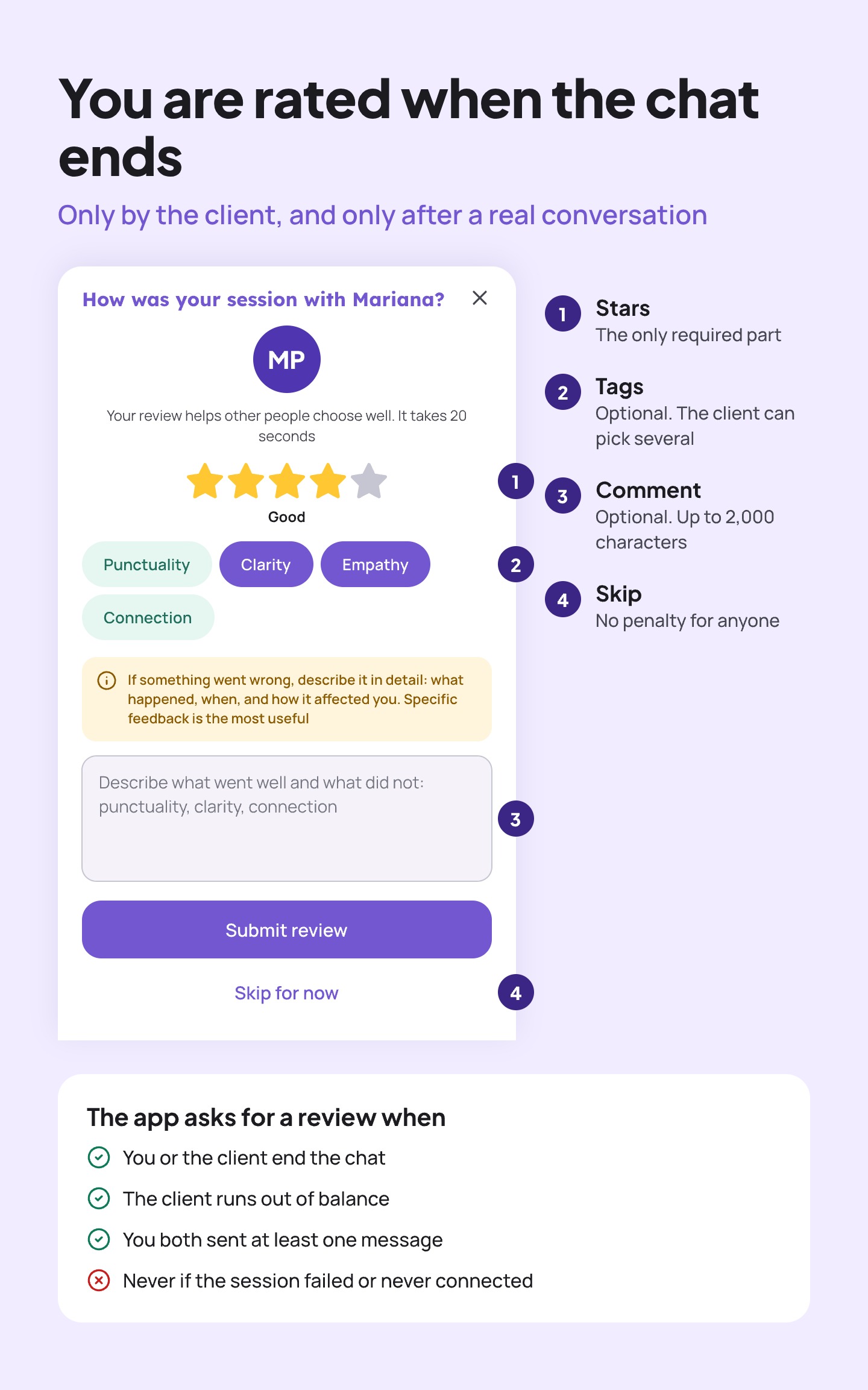
When a chat ends, the app shows the client a sheet to rate the session. It only appears when three conditions are met:
- The chat ended normally: you closed it, the client closed it, or the client ran out of balance.
- There was a conversation: you both sent at least one message.
- The session worked: if it failed or never connected, no review is requested.
Only the client rates, and only once per session. On the sheet, the stars are the only required part. Tags (Punctuality, Clarity, Empathy and Connection) and the comment are optional, and the client can tap "Skip for now" with no penalty.
The sheet also asks the client, if something went wrong, to describe it in detail: what happened, when, and how it affected them. A specific comment is more useful to you than a bare star.
Which reviews are published
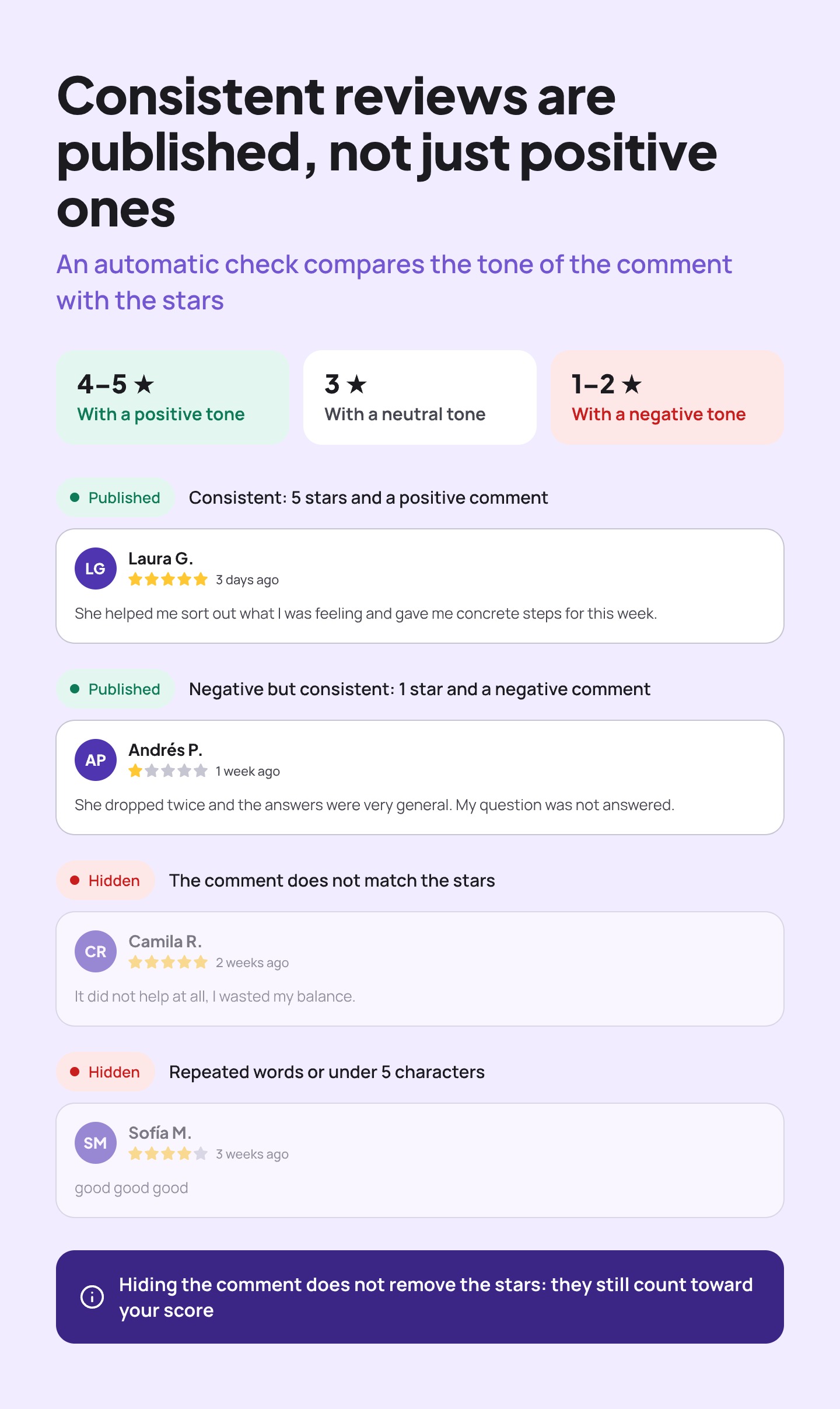
Every comment goes through an automatic check that measures its tone and compares it with the stars:
- 4 or 5 stars with a positive tone.
- 3 stars with a neutral tone.
- 1 or 2 stars with a negative tone.
When the tone and the stars match, the comment is published in your review list. When they do not, it is hidden. Comments under 5 characters, and comments that repeat the same word three times in a row, are hidden too.
The key point: negative reviews are not hidden, inconsistent ones are. A 1-star review that explains in detail what went wrong is consistent and gets published. A 5-star review that says "it did not help" is not.
Hiding a comment does not remove its stars. Every valid rating counts toward your score, whether or not its comment is visible.
How your score is calculated
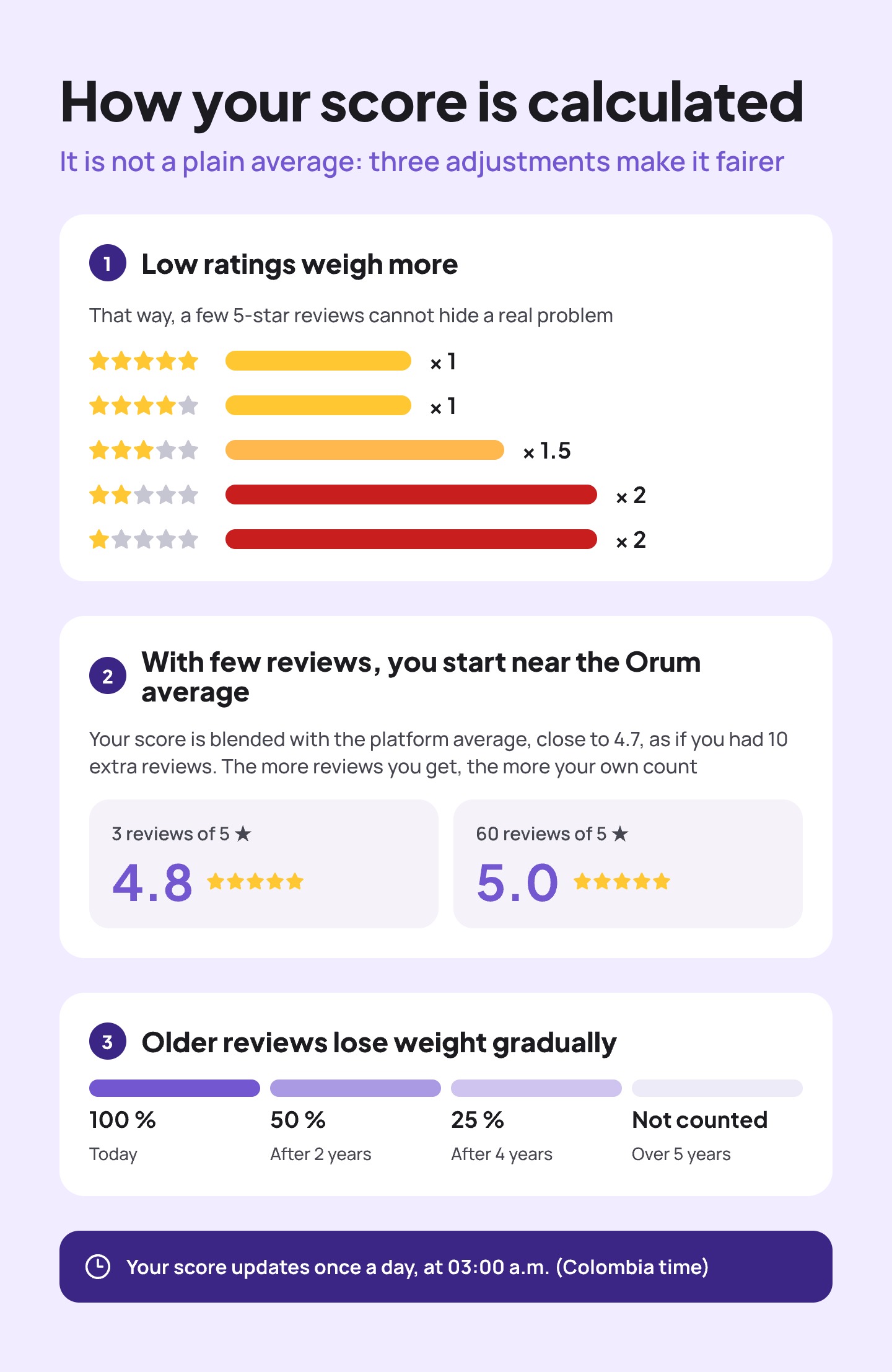
The number on your profile is not a plain average. It has three adjustments:
- Low ratings weigh more. A 3-star rating counts 1.5 times and a 1- or 2-star rating counts double. That way, a few 5-star reviews cannot hide a real problem.
- With few reviews, you start near the Orum average. Your score is blended with the platform average, close to 4.7, as if you had 10 extra reviews. With three 5-star reviews you see 4.8; with sixty, 5.0. The more reviews you get, the more your own count.
- Older reviews lose weight gradually. After two years they count half, and reviews older than five years no longer count.
Your score is recalculated once a day, at 03:00 a.m. (Colombia time), so a review left today shows up in your number the next day. Next to the score you see how many reviews you have and how they split by stars over the last five years.
If a review is unfair
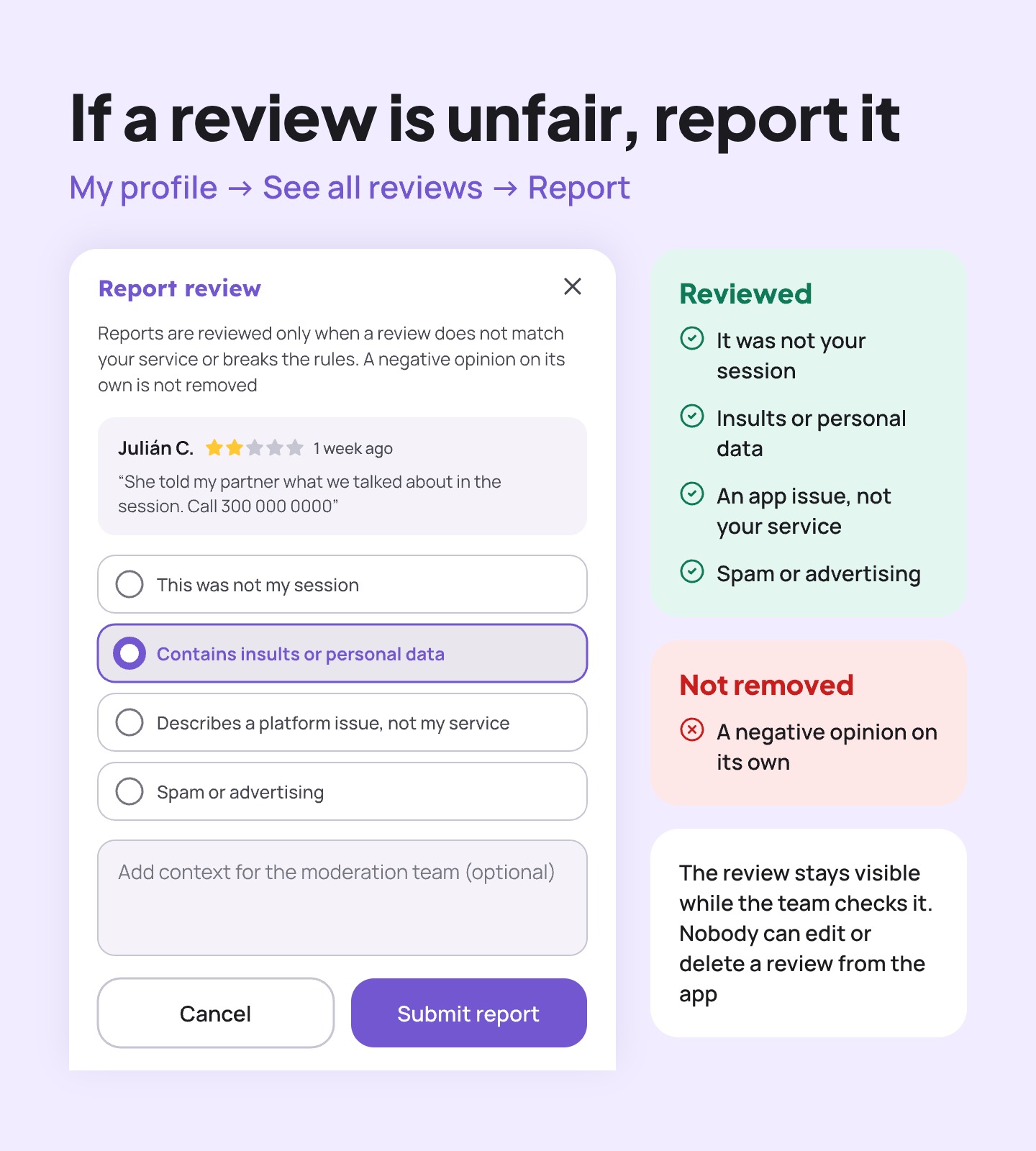
From My profile → See all reviews you can report any review in your list. Choose one of these reasons:
- This was not my session.
- Contains insults or personal data.
- Describes a platform issue, not my service.
- Spam or advertising.
The team checks the report, and the review stays visible in the meantime. A negative opinion on its own is not removed, and nobody can edit or delete a review from the app: not you, and not the client.
What is in your hands
- Close every session well. A clear final summary is what the client remembers when rating.
- Do not ask for a review on paid time. It shows, and it usually ends in a lower rating.
- Report only what breaks the rules. An honest, consistent critique stays published; use it to adjust how you work.